Measured on GitComet v0.1.6 in 2026-04. The current release is v0.3.3. Every client, version and result is below.
Behind the numbers Benchmark conditions & all results
Measured 2026-04 on Linux 6.19.6-zen (x64), Ryzen 5950x, 128GB DDR4. Results apply to the versions and conditions shown.
Opening Chromium: time and memory by Git client
Git client
Version
Open time
Memory
GitComet
v0.1.6
1s
265MB
GitFiend
v0.45.3
1s
289MB
SourceGit
v2026.6
3.5s
301MB
SmartGit
v25.1.110
18s
4.8GB
GitKraken
v11.10.0
25s
2GB
Megit
v0.10.0
29s
14.4GB
Gittyup
v2.0.0
43s
2.5GB + 1.5GB indexer
gitg
v44
crashed
crashed
ungit
v1.5.30
crashed
crashed
guitar
v1.3.1-1
crashed
crashed
02
Review
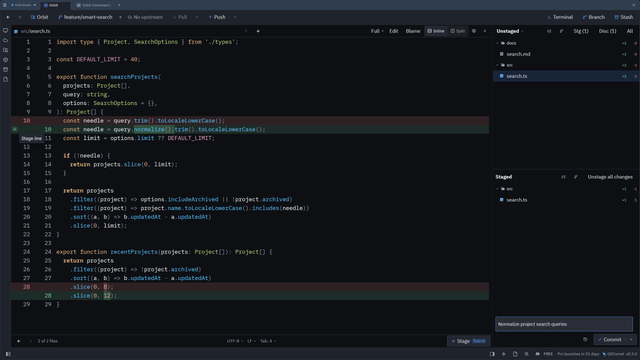
One line. One intention.
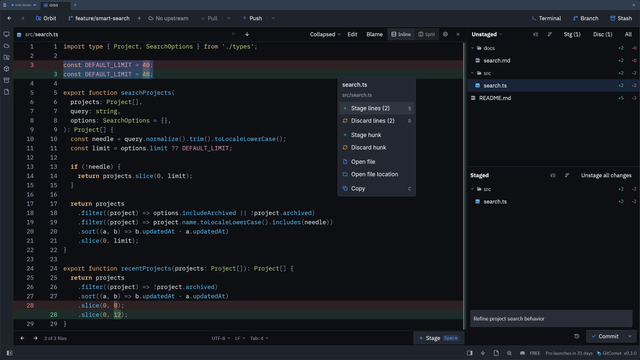
A bug fix and a refactor can share a file without sharing a commit. Right-click a changed line or selection to stage just that change, or choose the whole hunk. The diff gutter gives you quick access too.
Stage the selected lines and leave the other edit for later. Right-click the selection to choose Stage lines or Stage hunk.
03
Resolve
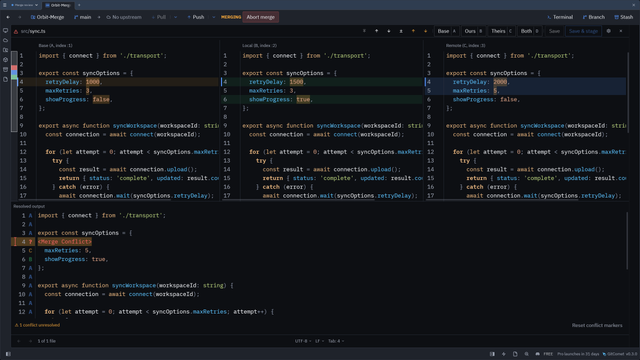
The easy conflicts. Already handled.
Whitespace changes, identical edits, one-sided changes. GitComet resolves the unambiguous conflicts when a file opens, leaving you the decisions that need a human.
Still to come: Claude Code, Codex and GitHub CLI integrations, GitHub and Azure DevOps, and test coverage workflows, on top of everything in the open source edition.
The same offer for everyone on the list. It does not depend on a review, a vote, or anything else on Product Hunt.
A note from the makers
The GitComet teamAutoExplore · Built in the open
We wanted to spend less time waiting.
GitComet started with the frustration of working on huge codebases like Chromium. We wanted a client that stayed responsive while browsing history and reviewing diffs. So we built one in Rust, kept the workflows familiar, and made it open source.
Which repository makes your current Git client struggle?
Nothing. The open source edition is free for personal and commercial use under the AGPL-3.0. There is no trial period, no account, and no limit on private repositories.
Which platforms can I install it on?
Linux, Windows and macOS, on x86-64 and ARM64 alike. Windows gets a signed installer and a Microsoft Store listing, macOS a notarized disk image and Homebrew, and Linux apt, AUR, Gentoo GURU, Nixpkgs, Homebrew, AppImage, deb and Fedora RPM packages.
Where does my code go?
Nowhere. GitComet reads your repositories from disk and never uploads them. There is no account, no sync, and no cloud service behind it.
Will it replace the mergetool I use today?
Yes. One gitcomet setup command registers it as your git mergetool and difftool, graphical when a display is available and headless when it is not. It understands the KDiff3 and Meld argument forms, so existing configuration keeps working.
Built in the open
Free software. Built together.
Bug reports, awkward repositories and pull requests decide what ships next. Bring yours.